

Overview
The Analytics Plugin for Mautic provides a powerful Website Analytics dashboard widget that gives you deep insights into your website visitors. It processes Mautic’s page hit data to compute visitor sessions with rich attribution data.Key Features
Analytics Dashboard Widget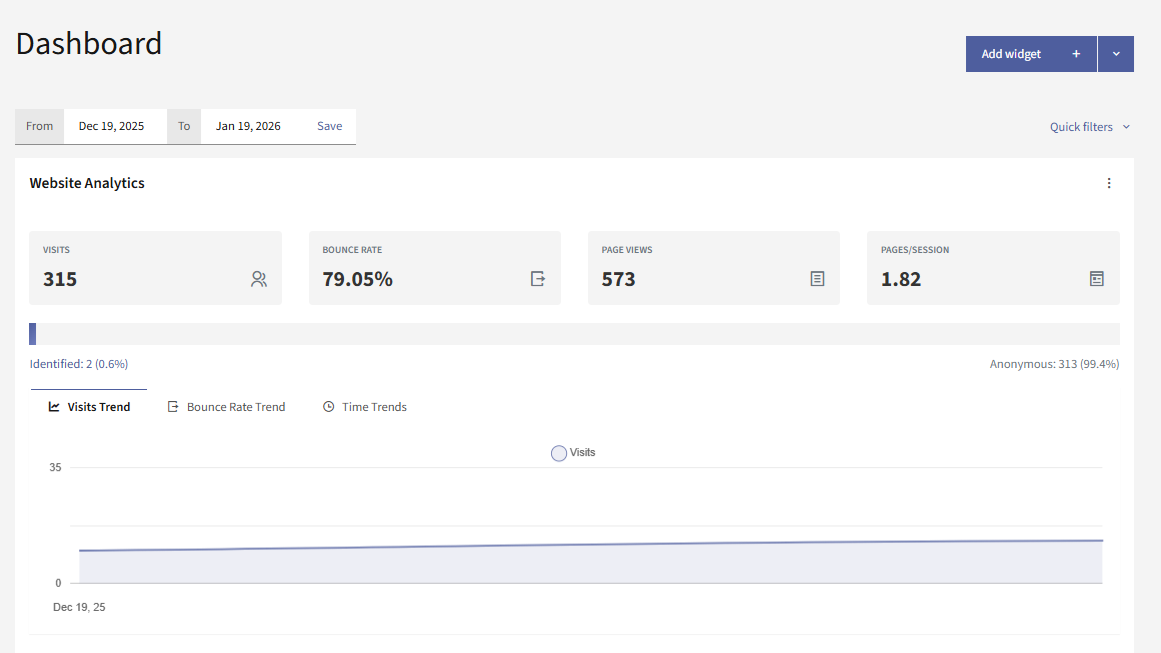
- Key Metrics - Total sessions, bounce rate, page views, average pages per session
- Trend Charts - Sessions over time, bounce rate trends, hourly and daily distribution
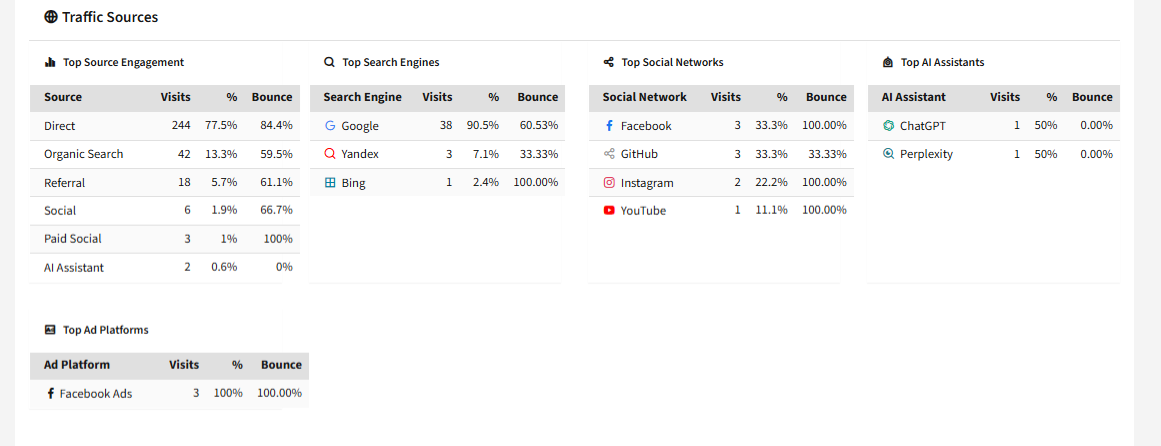
- Traffic Sources - Organic search, paid search, social, email, AI assistants, direct, referral
- Page Performance - Top entry pages, exit pages, and referrers
- UTM Attribution - Campaign, source, and medium breakdowns
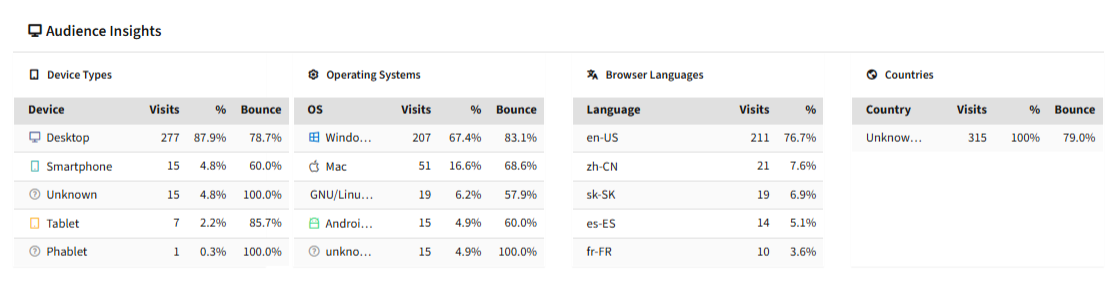
- Audience Insights - Device types, operating systems, browser languages, countries
- Visitor Identity - Identified vs anonymous visitor breakdown
Traffic Type Detection
The plugin automatically categorizes traffic into these types:| Traffic Type | Description |
|---|---|
| Organic Search | Google, Bing, DuckDuckGo, and 50+ search engines |
| Paid Search | CPC/PPC campaigns (detected via click IDs or UTM) |
| Social | Facebook, Twitter, LinkedIn, TikTok, and 60+ networks |
| From email providers or Mautic campaigns | |
| AI Assistant | ChatGPT, Claude, Perplexity, and 30+ AI tools |
| Direct | No referrer (direct visits) |
| Referral | From other websites |
Interactive Filtering
Click on any metric in the widget to filter all data by that dimension. For example:- Click on “Organic Search” to see only organic traffic
- Click on a specific country to see visitors from that location
- Click on a UTM campaign to analyze its performance
Requirements
- PHP 8.1 or higher
- Mautic 6.0 or higher
How It Works
The plugin processes Mautic’spage_hits table and groups them into visitor sessions:
- Hits from the same visitor within 30 minutes are grouped into one session
- Each session is enriched with traffic source, UTM data, device info, and location
- The dashboard widget queries this computed data for fast, real-time analytics